01
Photos, video, and 360°
Stills, ordinary video, equirectangular 360°, or Insta360 dual-fisheye clips — several at once, mixed, in a single scene. Both lenses are solved, and the camera operator can be masked out.
Mac · Windows · Linux · on-device
Capture an object or a space with a phone, an action camera, or a DSLR. LuluSplat solves the camera positions and trains a photorealistic 3D Gaussian Splat you can orbit — entirely on your own GPU, on Mac, Windows or Linux. No uploads, no account, no subscription.
Windows may say “Windows protected your PC” for this installer — choose More info, then Run anyway.
Stills, video, equirectangular 360°, Insta360 .insv — mixed in one scene.
Frames pulled from clips, blurry ones rejected at a threshold you set.
Camera poses and a sparse point cloud, checked before training starts.
Vanilla or MCMC on your own GPU — Metal on Mac, Vulkan on Windows and Linux.
.ply and .splat, plus a run log with counts, timings and peak memory.
01 How it works
Step 01 / 03
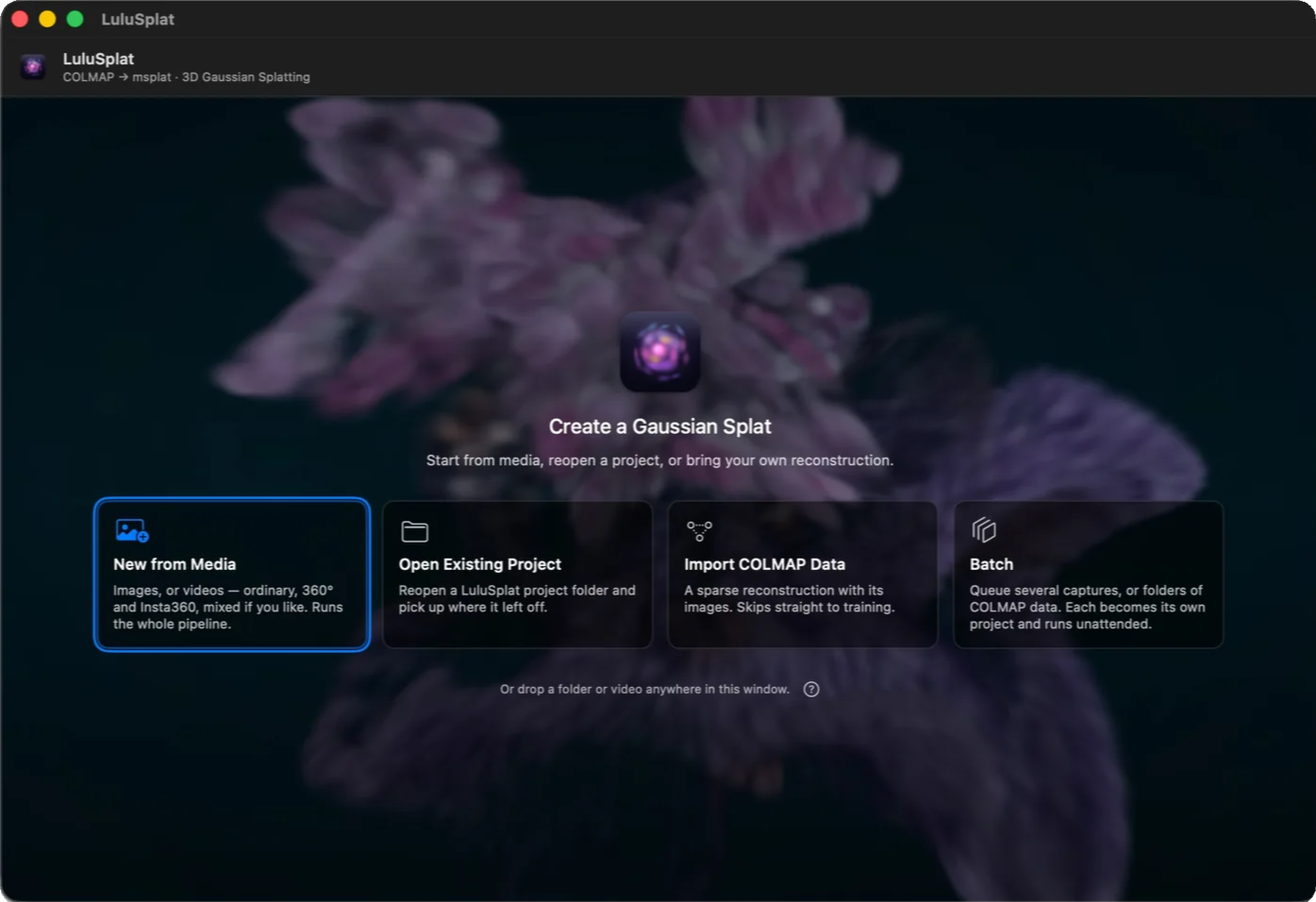
A folder of stills, ordinary video, equirectangular 360° footage, or Insta360 dual-fisheye clips — several at once, mixed together, in a single scene. Camera positions are solved for you.
Shot on a phone, an action cam, or a DSLR — it all works.
Step 02 / 03
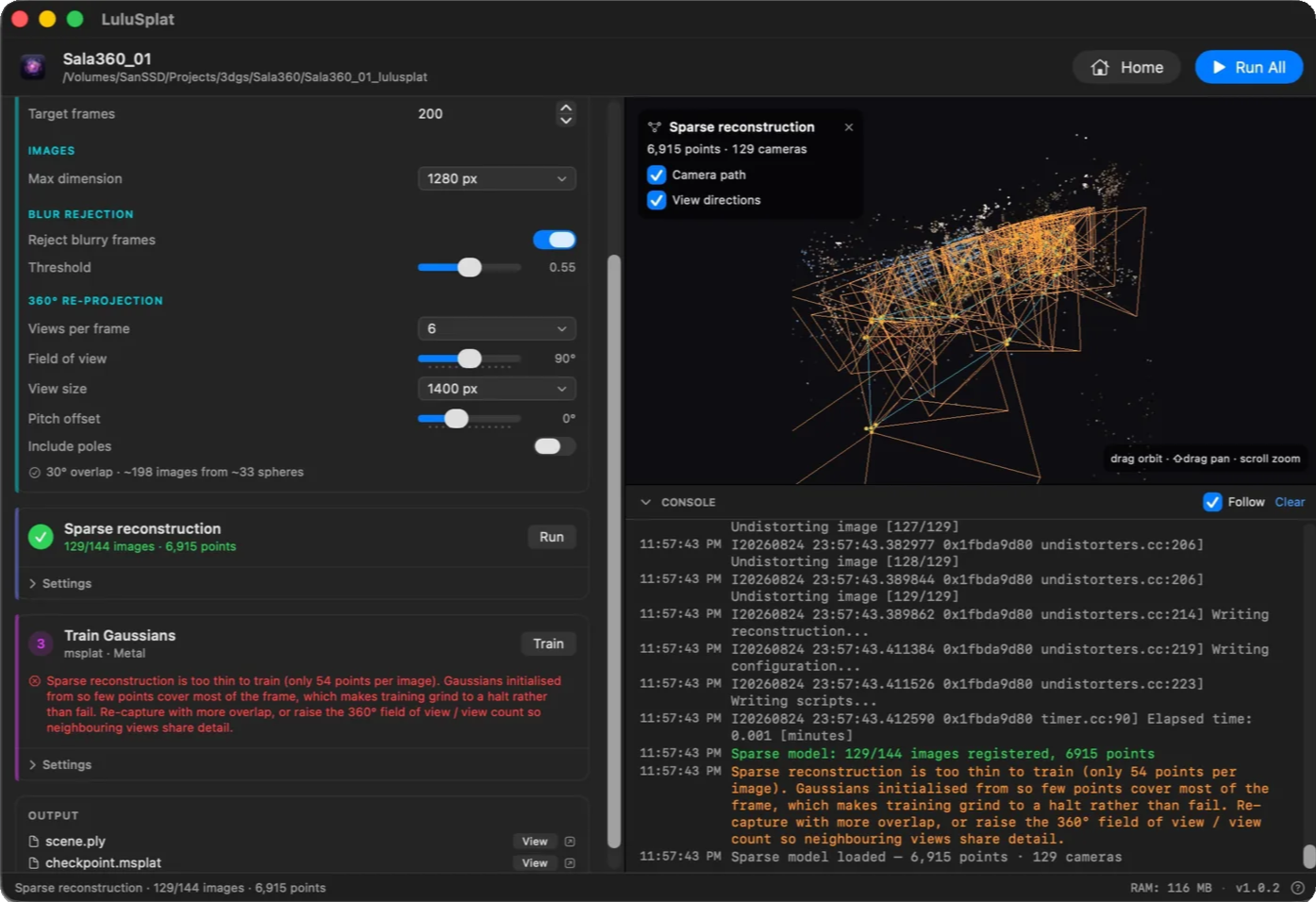
Blurry frames are dropped as they are extracted, and the reconstruction is checked before the long training step. A capture with too little overlap is flagged in seconds rather than an hour in.
A blur threshold you can tune, and a warning that says plainly what went wrong.
Step 03 / 03
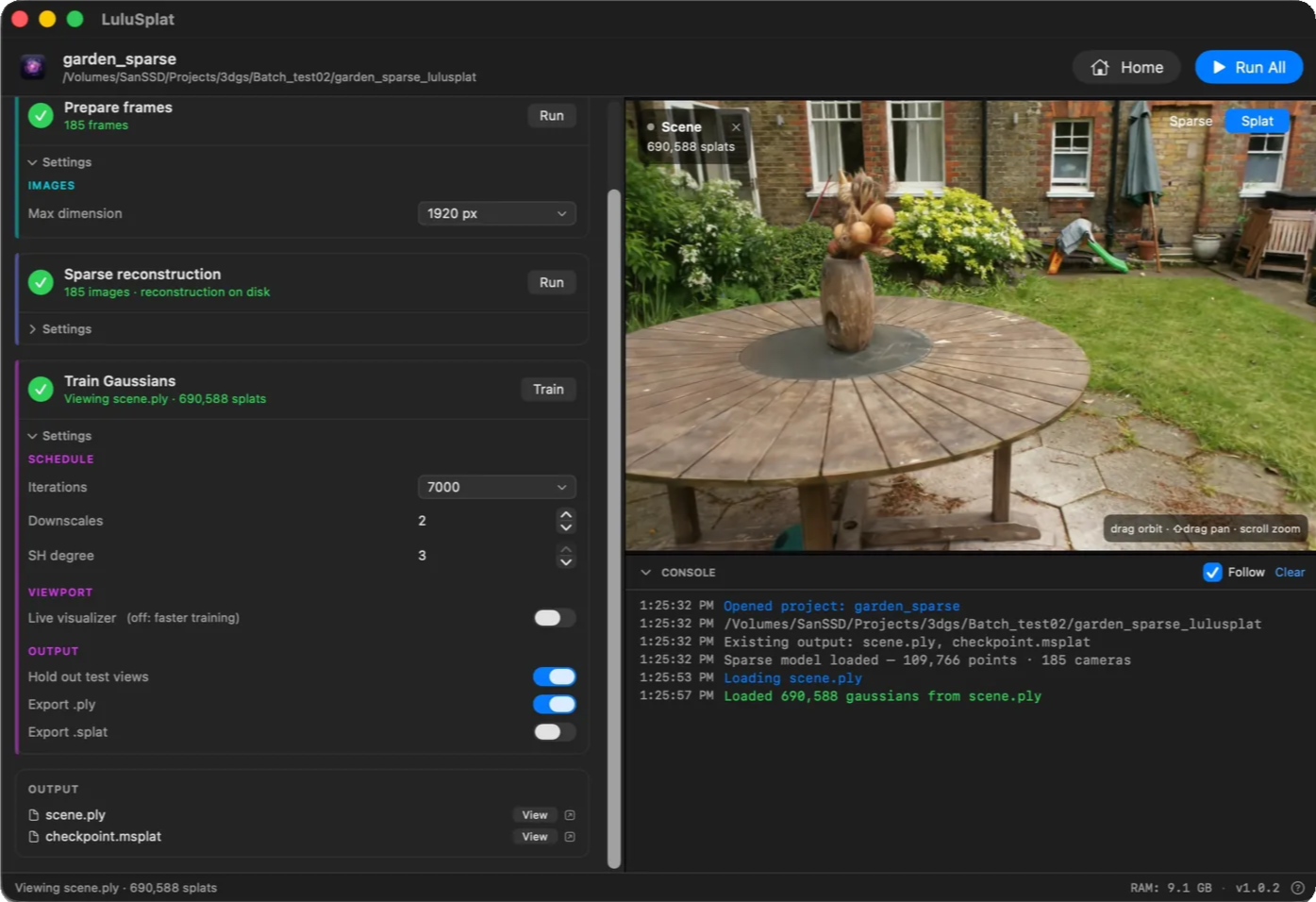
Orbit the scene as it trains — rough at first, sharpening as it goes. Switch the live viewport off for a faster run.
Full console output, and a RAM readout for the run in progress.
02 Features
Stills, ordinary video, equirectangular 360°, or Insta360 dual-fisheye clips — several at once, mixed, in a single scene. Both lenses are solved, and the camera operator can be masked out.
Blurry frames are dropped as they are extracted, and the reconstruction is checked before the long training step — so a thin capture is flagged in seconds, not an hour in.
Vanilla grows splats wherever detail is missing. MCMC trains a fixed number and keeps moving them to where they help most, with memory known before it starts. Train a project with each and compare.
Reconstruction and rendering run on your own GPU — Metal on Apple silicon, Vulkan on Windows and Linux. No cloud instance, no queue, nothing to rent.
Already have COLMAP data? Import it and skip straight to training. Batches accept it too — a folder that already holds a reconstruction goes right to the training step.
Your photos and video never leave the machine. Nothing is uploaded, there is no queue to wait in, and it all works offline.
03 Automation
Everything above is the whole app. These are for the days when one capture at a time is not the job.
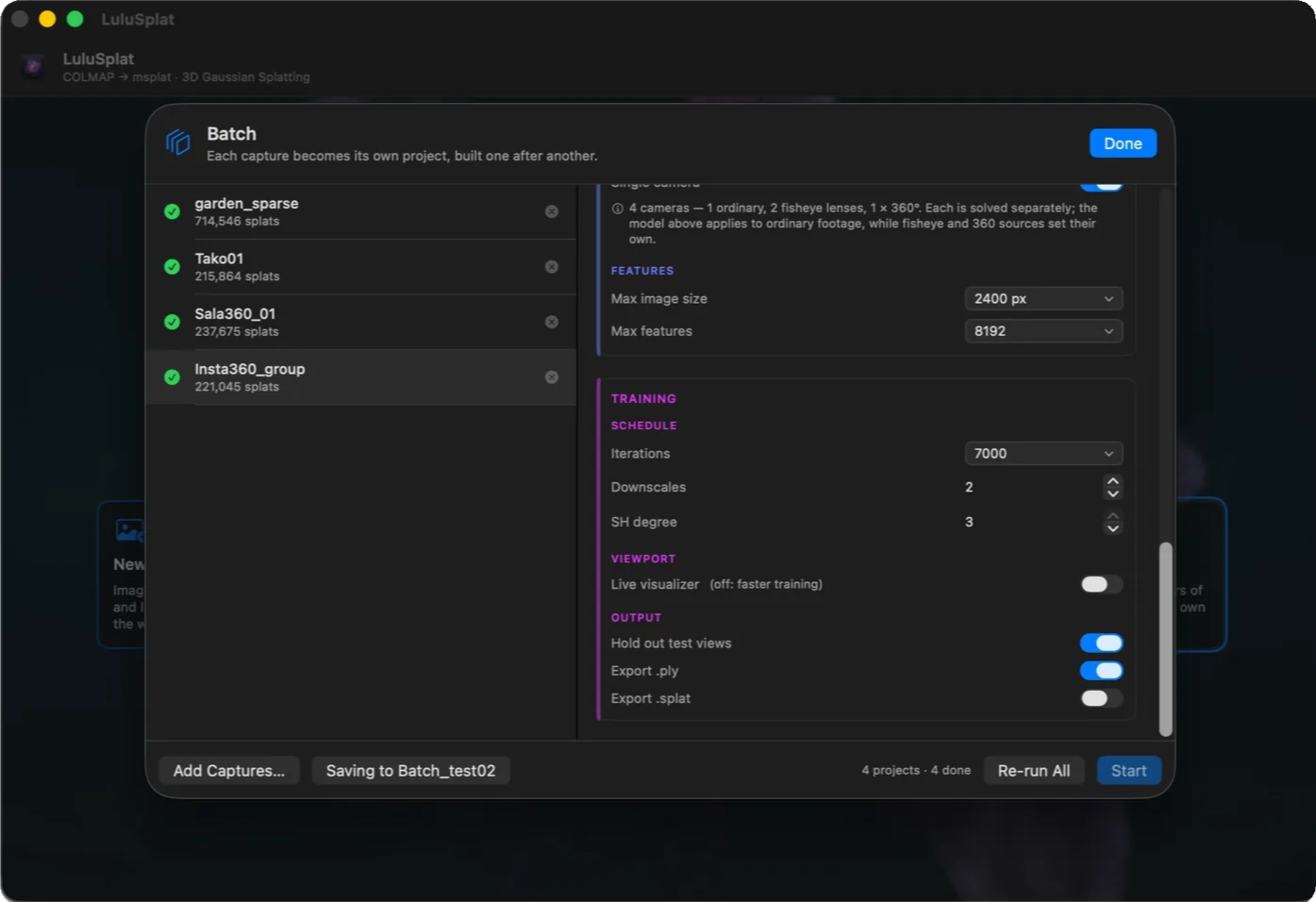
A / Batch
Line up as many captures as you like and leave the machine to it. Each becomes its own project with its own settings.
B / Command line
Give it a subcommand and it runs headlessly instead of opening a window.
--json pipes straight into build systems and render farms.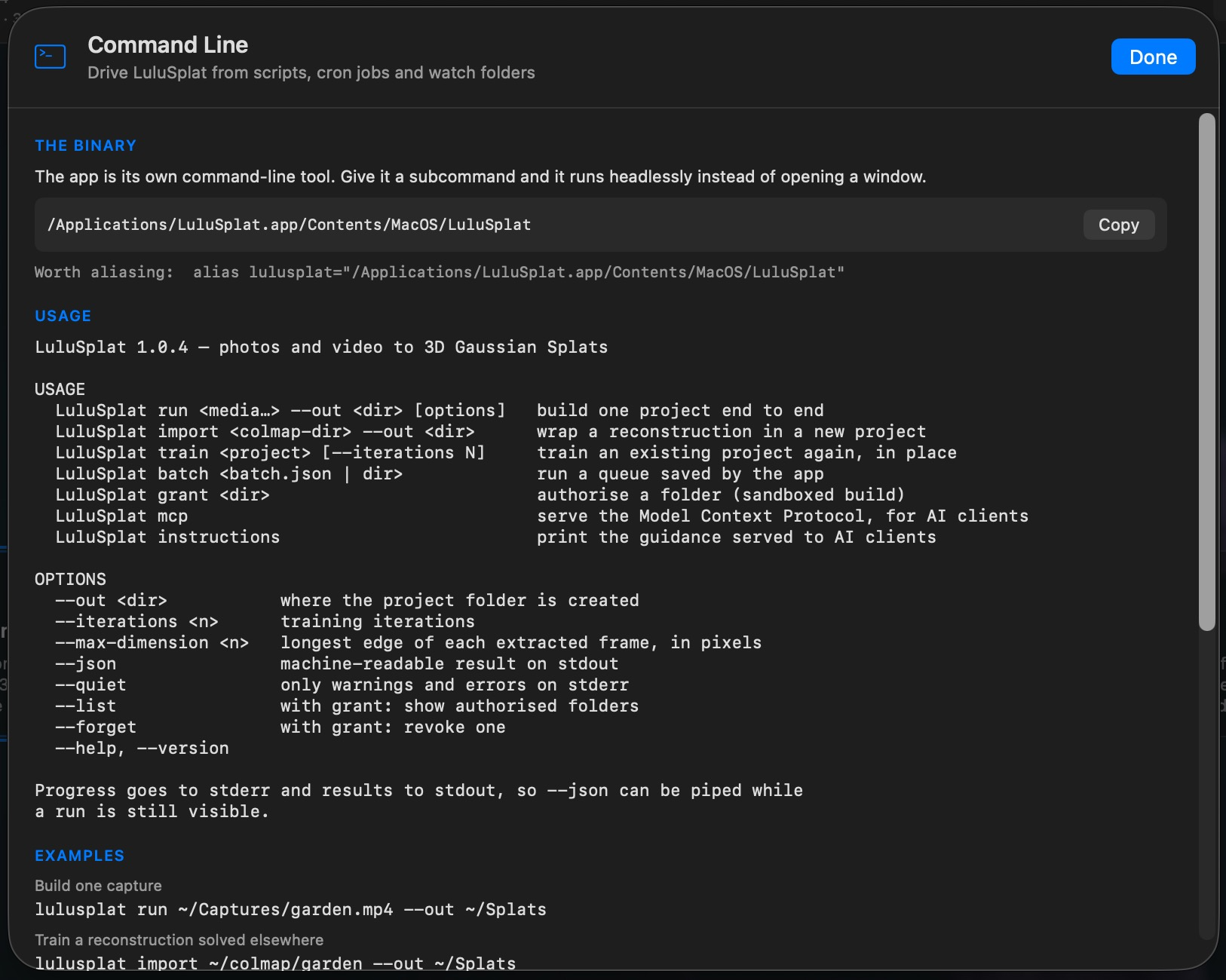
C / AI assistants
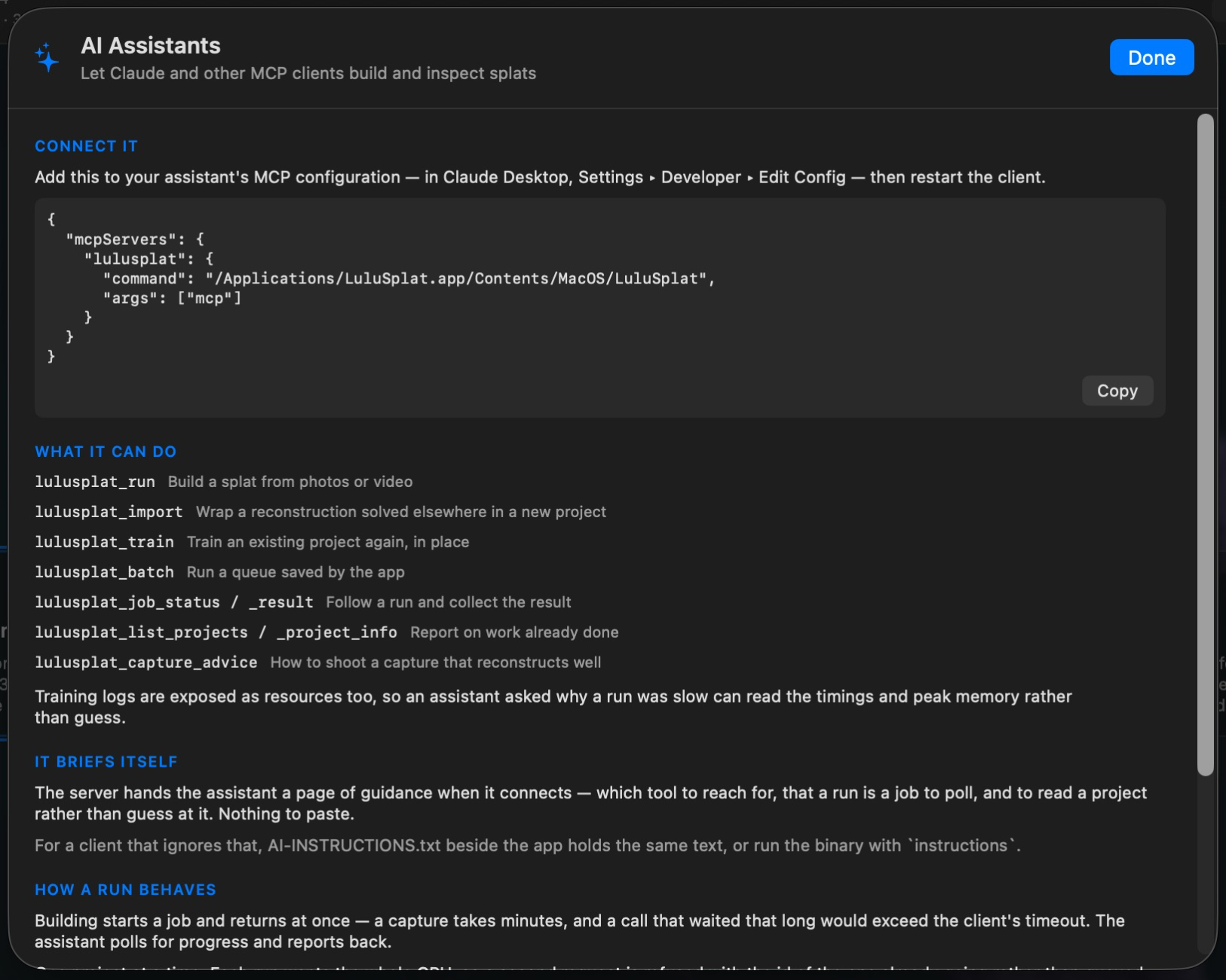
Claude and other assistants can drive the pipeline themselves, over the Model Context Protocol.
04 Export
Save finished scenes as .ply and .splat — the formats Gaussian Splat viewers, web players, and DCC plugins already read. Every run also appends its splat count, quality, duration, and peak memory to output-log.txt.
Need a different 3DGS format? Use our online converter, Pebee
Need transition effects? Use our online 3DGS Transition Lab
05 Get it

Capture any real-world object or space, and inspect it from angles you never stood in. On your own machine, on your terms.
Windows may say “Windows protected your PC” for this installer — choose More info, then Run anyway.
Mac · .dmg · 110 MB
Windows · .exe · 83 MB
Linux (beta) · .deb · .rpm · .tar.xz · 98–103 MB
The direct downloads are completely free. Get it from the Mac App Store or the Microsoft Store to support development and receive automatic updates.
output-log.txt